Udhaar (credit) tracking
Udhaar and credit tracking for wholesalers
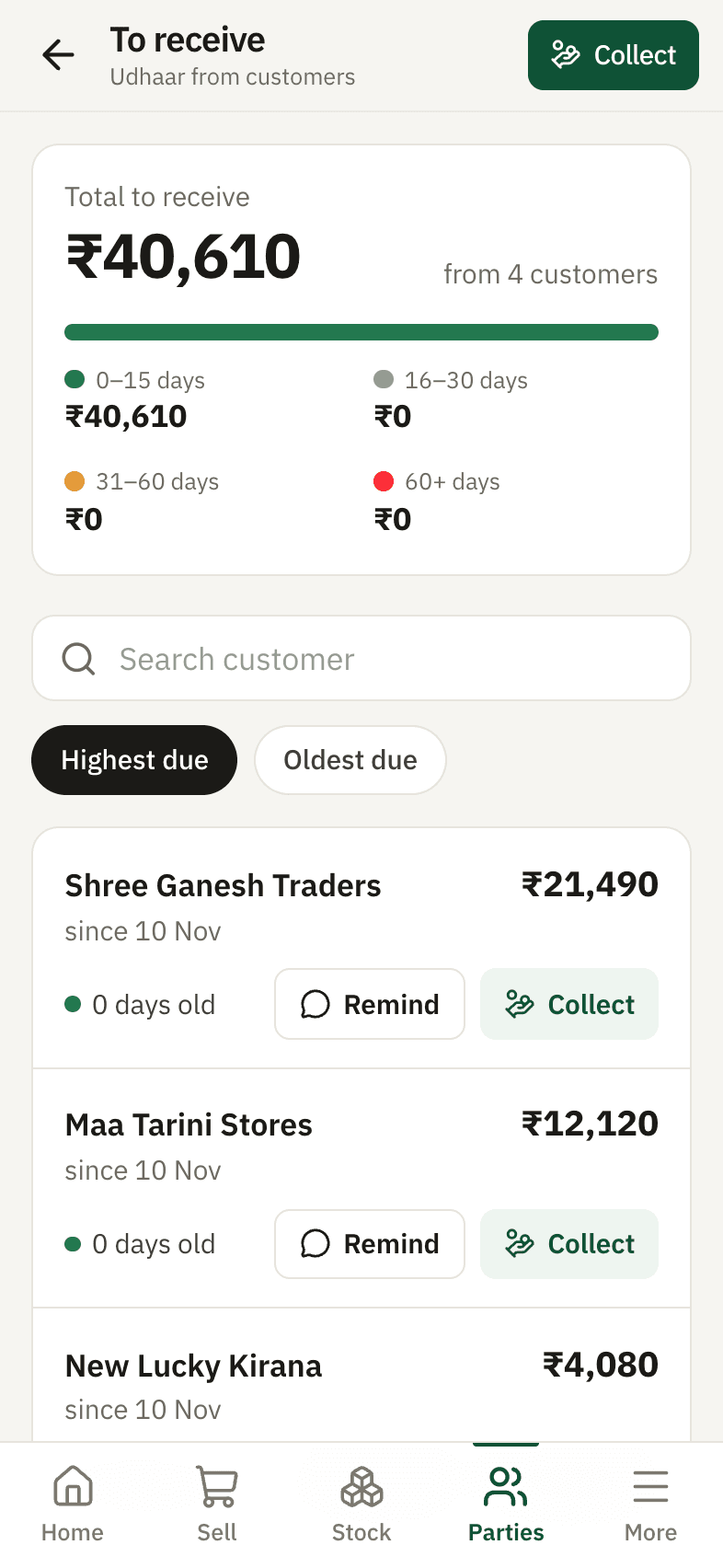
Munafa Book keeps a running account (khata) for every shop you sell to. Each credit bill, payment and return updates their balance automatically, so you always know who owes how much, since when, and for which bills.
The problem
Most wholesalers give goods on credit to dozens of shops. The notebook says one thing, the salesman says another, and nobody remembers which bill a ₹5,000 payment was for. Money gets stuck for months.
How Munafa Book helps
Balance for every customer
Credit bills add to what they owe; payments, returns and credit notes reduce it. The balance is always worked out from the entries, never typed by hand.
Bill-wise dues and age
See which bills are still unpaid and for how many days - 0–30, 31–60, 60+ - so you chase the oldest money first.
Part payments
When a shop pays part of the amount, it is set against their oldest bills automatically. Cash, UPI and cheque are all recorded.
Credit limit
Set a limit per customer. The app warns you while billing if a new bill would cross it.
Old dues from your notebook
Start with each customer's old balance so nothing from before is lost.
Statement and reminder
Share a clean account statement or a polite reminder on WhatsApp in one tap.
Example
Maa Tarini Stores owes ₹18,400 across three bills. They pay ₹10,000 by UPI. The app clears the two oldest bills, leaves ₹8,400 on the newest one, and their statement shows exactly that.
Common questions
Read every answer
- Can I add udhaar from before I started using the app?
- Yes. When you add a customer, enter their old due. It shows as an opening amount in their account and is collected like any other bill.
- What happens when a customer returns goods?
- Make a return against the bill. The stock comes back and the customer's balance goes down by the return value.
- Can my salesman collect payments?
- Yes, on the Pro plan. A salesman login can make bills and record payments, but cannot cancel them or see your buying prices.
- Does the customer need the app?
- No. They get the bill or reminder on WhatsApp as a picture or message.
Tap a question
Related
Bills on WhatsApp
Share a clear bill picture, an account statement or a polite payment reminder on WhatsApp in one tap.Real profit and loss
Profit from the actual cost of the stock you sold, minus expenses and stock loss. By product, brand, customer and area.Pricing
Free, Basic ₹249 and Pro ₹499 a month
Try it with your own stock and customers
14 days of every feature free. Your data stays yours - download it any time.